Let Shopify customers cancel an order before shipping
Quick answer
Shopify's self-serve returns and cancellations let a customer request a cancellation. You approve or decline each request, and the request does not cancel the order by itself. It doesn't work with legacy customer accounts. ShipEdit lets the customer cancel before fulfillment starts: the order is cancelled, items are restocked, and the refund goes back to the original payment method.
A native cancellation request
Turn the feature on in customer account settings, or in the checkout and accounts editor when your store has Order actions. Customers request a cancellation for items that have not shipped. You review the request in the Shopify admin. Cancellation rules can be no cancellations, until the item is fulfilled, 15 minutes, 1 hour, or 24 hours.
Shopify's help says self-serve returns and cancellations don't work with legacy customer accounts. Customers sign in to the new customer accounts to send the request.
Instant cancel with ShipEdit
On the thank-you page or the order status page, Cancel order asks the customer to confirm. ShipEdit then cancels the order with restock, reason customer, and a refund to the original payment method. Shopify emails the customer. The order is tagged (the default tag is customer_cancelled). You can turn cancellations off without turning off address changes.
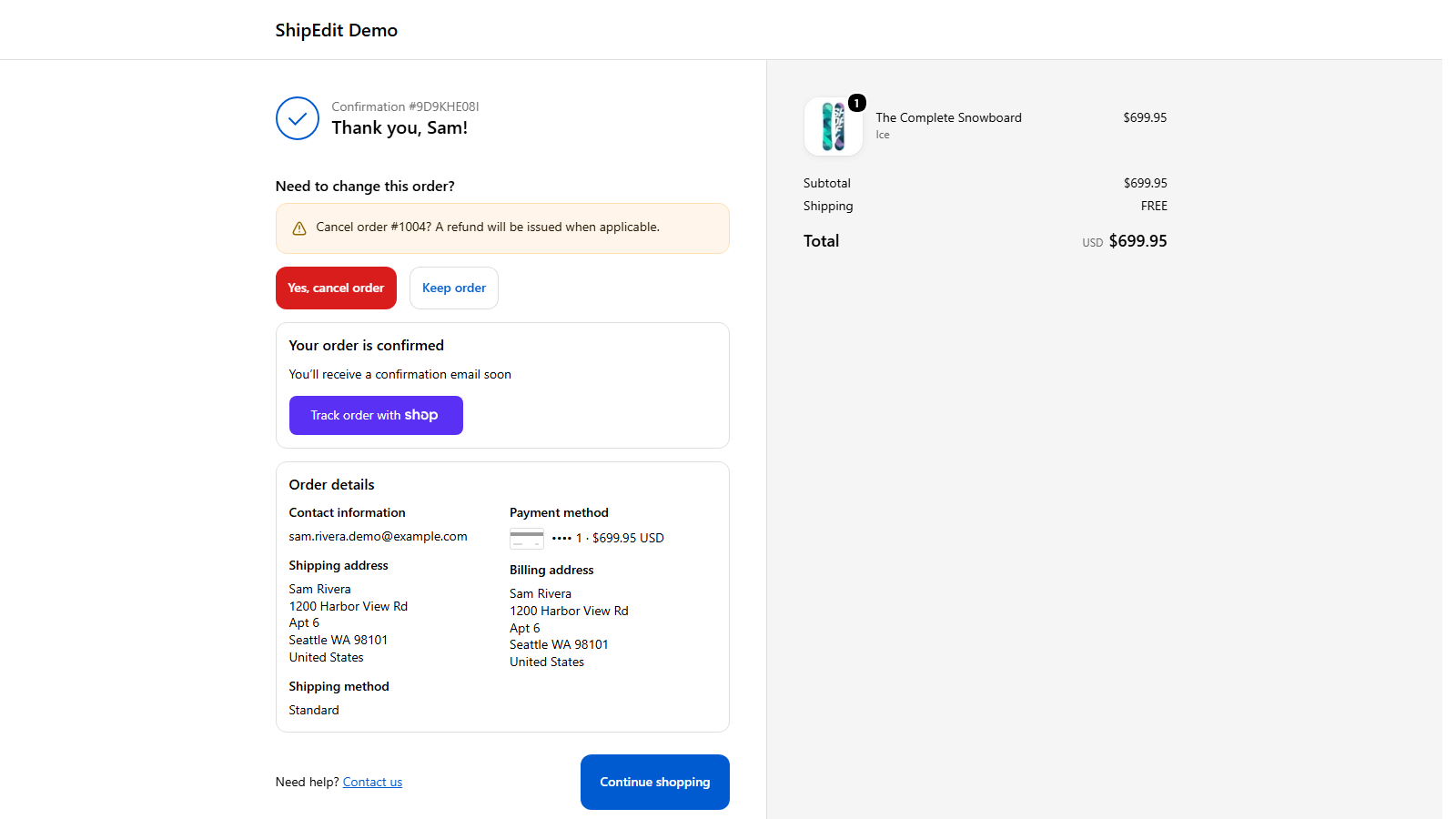
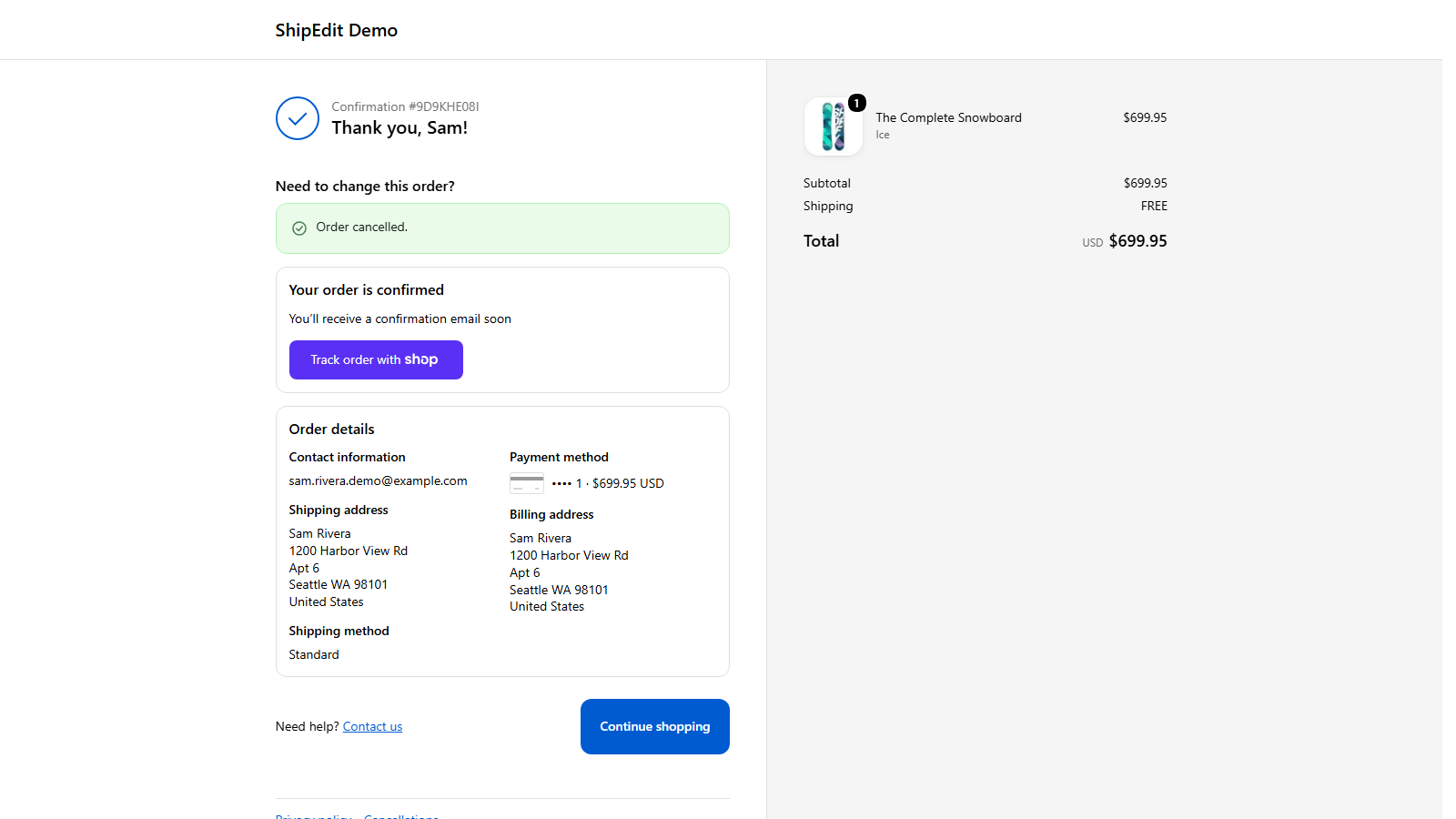
This stops when fulfillment starts, including a partial fulfillment, or earlier if the edit window has ended. An order that is only on hold can still be cancelled, because fulfillment has not started. ShipEdit does not cancel an order that has already shipped.
What this is not
ShipEdit does not add upsells or product swaps. It also does not replace Shopify's request flow. Use the native request when you want to approve each cancel. Use ShipEdit when the customer should cancel on their own before you ship. See also changing the shipping address and what customer order editing includes.
FAQ
- Can a Shopify customer cancel an order without an app?
- They can send a cancellation request if you turn on self-serve returns and cancellations. You approve or decline each request. The request does not cancel the order by itself, and it doesn't work with legacy customer accounts.
- What does ShipEdit do when a customer cancels?
- Before fulfillment starts, ShipEdit cancels the order, restocks the items, refunds the original payment method, and Shopify emails the customer. You can turn cancellations off.
- What if the order has already shipped?
- ShipEdit stops at fulfillment, so it can't change a shipped order. You can still update the address in the Shopify admin.