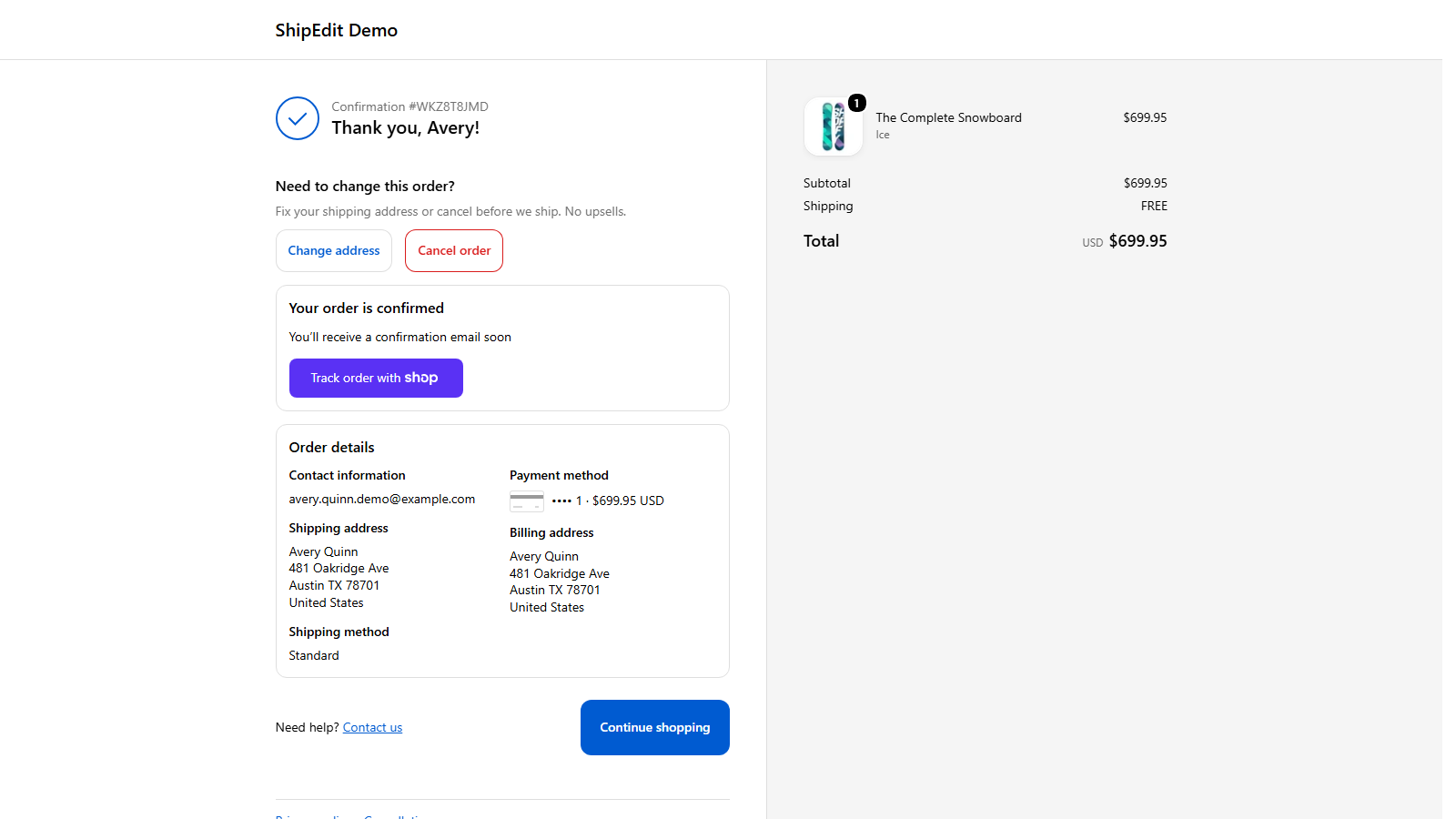
After checkout
let customers change their shipping address from the thank-you page or the order status page, before fulfillment.
After delivery
- Send a claim link from the order, or let a logged-in customer start from an optional order status block.
- The customer picks the damaged items, describes the damage, and adds photos.
- Your team reviews photos, messages the customer, adds internal notes, and sets a status.
- Order tags (damage-claim, damage-claim-open, damage-claim-resolved) help you filter open claims.
What this is not: ShipEdit does not issue refunds, reships, or carrier claims.
Guides
- Change a Shopify shipping address after the order
- Let Shopify customers cancel an order
- Shopify customer order editing: address and cancel
- Shopify shipping damage claims
- PO Boxes, destinations, and address checks
- Hold Shopify fulfillment after checkout
- WooCommerce: change the shipping address
- WooCommerce: let customers cancel an order
How it works
-
Your customer spots a mistake.
They open the thank-you or order status page and see Edit address or Cancel order. -
They fix it themselves.
The new address or cancellation saves straight to the Shopify order. No email back and forth. -
You set the rules.
Choose how long after checkout changes are allowed. They stop on their own once fulfillment starts.
Report damage after delivery
-
The order is fulfilled, and you send a claim link.
Claims wait until the order has fulfilled items. Partial fulfillment is fine. Only fulfilled items can be claimed. -
The customer adds photos.
They describe the damage and attach photos. A claim link does not need a Shopify account. -
You review and set a status.
Photos, messages, and status stay on the order. ShipEdit does not issue refunds, reships, or carrier claims.
Shopify pricing
No trials. Address-and-cancel limits differ by plan. The same plans are on the Shopify App Store listing and on the claims pricing table.
| Plan | Price | Address edits and cancels | Damage claims a month | Claim retention | Photo groups and claims API |
|---|---|---|---|---|---|
| Free | Free | 2 a month | 5 | 90 days | No |
| Damage Claims | $9.99 | 2 a month | 50 | 1 year | No |
| Address Edit | $9.99 | Unlimited | 5 | 90 days | No |
| Address + Claims | $14.99 | Unlimited | 50 | 1 year | No |
| Claims Pro | $24.99 | Unlimited | Unlimited | 3 years | Yes |
The WooCommerce plugin is free and connects to the paid ShipEdit service.
FAQ
What happens after an order ships?
Edits and cancels stop as soon as fulfillment starts, even for a partly fulfilled order, or earlier if you set a shorter window. After delivery, you can collect damage photos on Shopify.
Does it work with my 3PL or fulfillment app?
Changes write to the Shopify order itself, so anything that reads the order sees the new address.
Does ShipEdit work with WooCommerce?
Yes. Install the free ShipEdit plugin from WordPress.org, then create your ShipEdit company to connect your store. Customers can change the shipping address or cancel the order from the WooCommerce thank-you page or My Account, before it ships, and report damage after delivery on ShipEdit plans that include damage claims. How ShipEdit works on WooCommerce.
What does it cost?
Shopify plans: Free; Damage Claims $9.99; Address Edit $9.99; Address + Claims $14.99; Claims Pro $24.99 a month. No trials. See the plan table and the Shopify listing. The WooCommerce plugin is free and connects to the paid ShipEdit service.
Will it upsell my customers?
No. ShipEdit does not add upsells or product swaps. It covers address changes and cancellations before you ship, and customers can report damage after delivery on ShipEdit plans that include damage claims.
Does installing turn it on?
No. Add the Thank you and Order status blocks for address changes and cancellations, and pin the Damage claims block on the order page. Shopify does not turn those on for you.
Does ShipEdit file the carrier claim or issue a refund?
No. You get the photos and a status on the order. You refund, replace, or file a carrier claim yourself.
When can a customer file a damage claim?
Once the order has fulfilled items. Partial fulfillment is fine; only fulfilled items can be claimed.
Do damage claims work on WooCommerce?
Yes. WooCommerce stores get address changes and cancellations, and can also report damage after delivery on ShipEdit plans that include damage claims.
What happens if we reach the monthly claim limit?
Staff cannot start a new claim until the next month or a plan upgrade. Existing claims stay available.
Does the customer need an account?
Not for a claim link you send. An optional order status block is available for logged-in customers.
Need help?
Email support@shipeditapp.com.
Why fixing an address early matters
Address problems are common and costly. Shippo's analysis found that about 2.1% of e-commerce parcels have address issues, and that UPS and FedEx charge roughly $23.50 to $24 per package to correct an address. A Loqate and Censuswide study of 304 retailers found that 8% of domestic first-time deliveries fail, at an average cost of $17.20 per order.
ShipEdit lets a customer fix a shipping address, or cancel, before the order is fulfilled. That keeps a typo from turning into a failed delivery.
Stop answering wrong-address emails.
When a package arrives damaged, send a claim link from the Shopify order and review the photos on that order.
Get ShipEdit on Shopify