Hold Shopify fulfillment after checkout
Quick answer
Hold fulfillment after checkout is optional and off by default. When you turn it on, ShipEdit places the fulfillment order On hold in Shopify after the order is routed, for a number of minutes you set. The customer can still change the address or cancel while the order is on hold, because fulfillment has not started.
When the hold is placed
The hold is not applied at the instant of payment. It is applied when the fulfillment order is routed, including when fulfillment orders are moved, split, or merged. The hold note on the fulfillment order is "ShipEdit edit window". Pickup and other non-shipping delivery methods are not held.
Your 3PL or fulfillment app has to respect Shopify On hold. A fast auto-import can still read the order before the hold is in place. If that happens, the warehouse may already have the original address.
When the hold is released
- The customer saves a new shipping address.
- The customer cancels the order.
- The hold duration ends. That timer is separate from the edit window.
The hold duration field starts at 5 minutes. You can set a longer time. If the duration is 0, or the checkbox is off, ShipEdit does not place a hold.
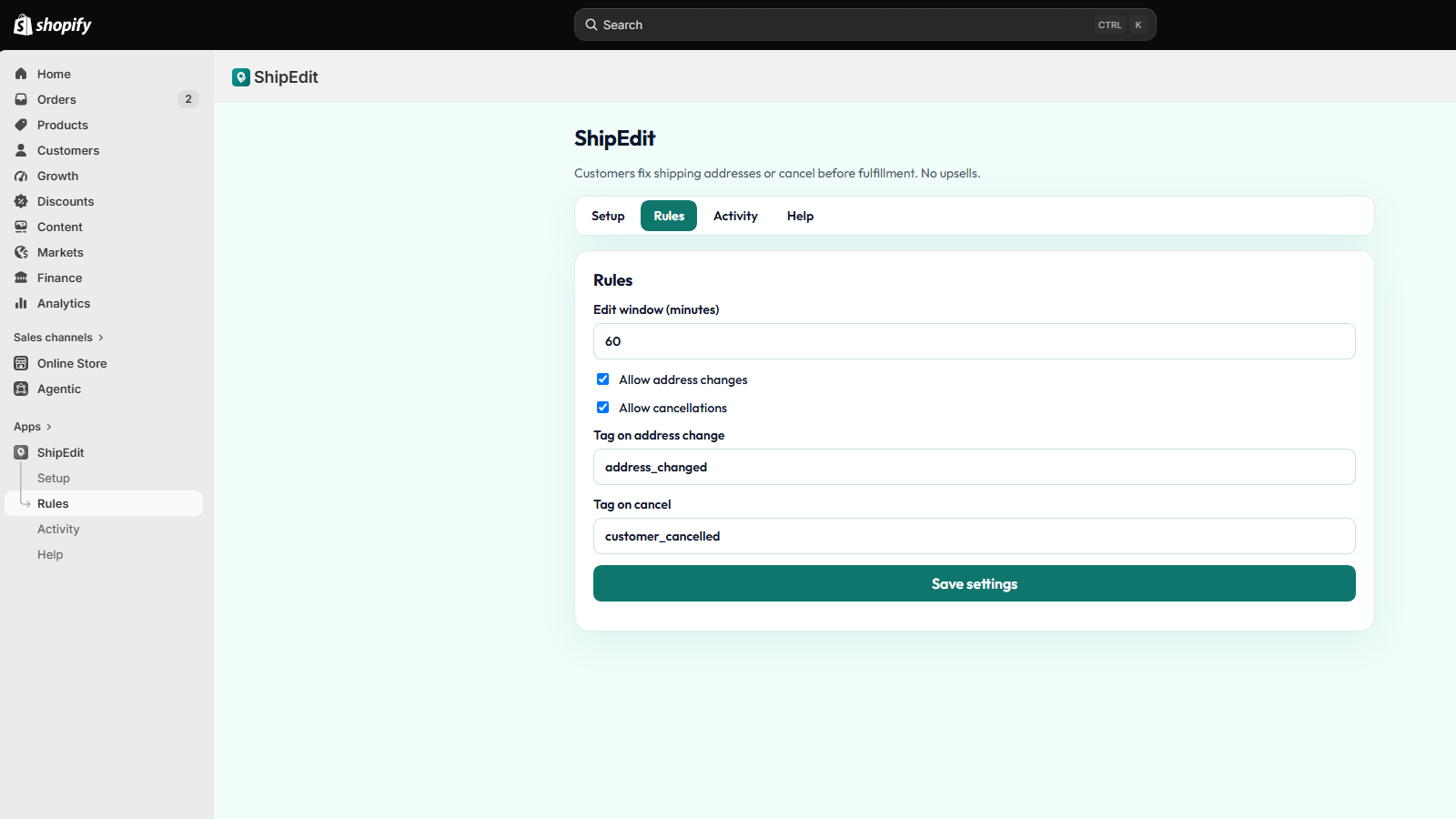
Edit window versus the hold
The edit window is how long after checkout a customer may change the address or cancel. The default is 60 minutes. Set it to 0 and it stays open until fulfillment starts. The hold is only a pause on packing, on its own timer. Turning the hold off does not turn off edits. Turning edits off does not remove a hold that is already on. That hold still ends when its duration ends, or when the customer saves an address or cancels if you still allow that action.
Address changes and cancellations stop as soon as fulfillment starts, even for a partly fulfilled order. WooCommerce does not get this Shopify On hold. The WooCommerce plugin only offers the change while the order is unfulfilled and inside the edit window.
FAQ
- Does ShipEdit hold every order?
- No. Hold fulfillment after checkout is off until you turn it on. You also set how many minutes the hold lasts. The field starts at 5 minutes.
- When does the hold go on?
- After the fulfillment order is routed, not at the instant of payment. A fast import can still read the order before the hold is in place. Your 3PL has to respect Shopify On hold.
- When does the hold come off?
- When the customer saves an address, cancels, or the hold duration ends. The hold timer is separate from the edit window.